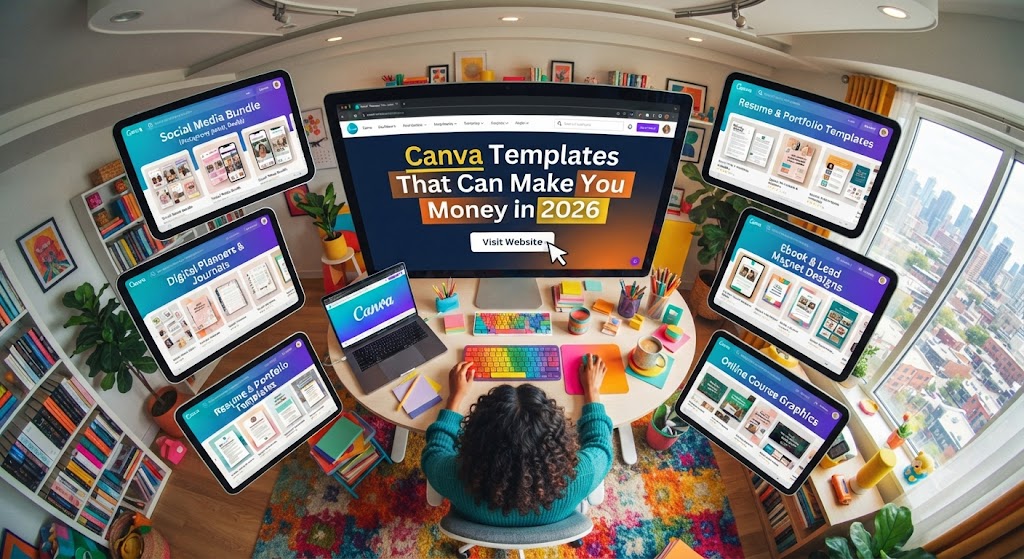
The Digital Goldmine: Your Ultimate Guide to Profitable Canva Templates
The digital product economy is no longer a futuristic concept; it is a multi-billion dollar reality. At the heart of this revolution lies a single, user-friendly tool that has democratized design: Canva. Once considered a simple tool for non-designers, Canva has evolved into a powerhouse for entrepreneurs to build sustainable, scalable, and highly profitable businesses.
If you are looking for a way to generate passive income, selling Canva templates is one of the most effective paths. Unlike physical goods, digital templates require no inventory, no shipping costs, and can be sold an infinite number of times. This guide explores the most profitable Canva template niches, the strategy behind high-converting designs, and the roadmap to building a six-figure digital product empire.
Why Canva Templates Are a Winning Business Model
Before diving into the “what,” we must understand the “why.” Why are people willing to pay for templates they could technically make themselves?
- Time is Money: Small business owners, influencers, and corporate professionals are busy. They don’t have hours to spend nudging a text box or picking a color palette. They pay for the convenience of a “plug-and-play” solution.
- Design Anxiety: Most people lack confidence in their aesthetic choices. A professionally designed template provides a safety net, ensuring their brand looks polished and cohesive.
- Low Barrier to Entry: You don’t need a degree in Graphic Design or an expensive Adobe Creative Cloud subscription. With a Canva Pro account and a creative eye, you are in business.
- Scalability: You create the product once, and it serves as an asset that works for you 24/7.
Top 10 High-Profit Canva Template Niches
To make money, you must solve a problem. General “pretty” posts don’t sell as well as targeted solutions for specific industries. Here are the top-performing niches in the current market.
1. Social Media Management Kits
The demand for social media content is insatiable. Businesses need to post daily to stay relevant.
- Instagram Carousels: Educational slides that drive saves and shares.
- Reel Covers: Aesthetic thumbnails that keep a grid looking professional.
- Pinterest Pin Templates: Specifically designed for high click-through rates (CTR) for bloggers and e-commerce sites.
- TikTok & Shorts Overlays: Text-heavy overlays that help creators make viral-style videos quickly.
2. The “Coach’s Bundle”: Lead Magnets and Ebooks
The coaching industry is booming. Coaches need to turn their knowledge into digital products.
- Ebook Layouts: 30–50 page templates for “How-To” guides.
- Workbooks and Checklists: Interactive templates for students to fill out.
- Webinar Slide Decks: Professional presentations that help coaches sell their high-ticket programs.
3. Business Branding Kits
New entrepreneurs often can’t afford a $5,000 custom branding package but still want to look professional.
- Logo Suites: Sets of primary logos, secondary logos, and submarks.
- Brand Style Boards: Templates that organize fonts, hex codes, and brand imagery.
- Business Cards and Stationery: Modern, minimalist designs for the professional world.
4. Special Interest Planners and Trackers
While “General Daily Planners” are saturated, “Niche Trackers” are goldmines.
- ADHD Planners: Designed with specific layouts to help with executive dysfunction.
- Financial/Budget Trackers: Deep dives into debt snowballing, savings goals, and investment tracking.
- Health and Fitness Logs: Specialized trackers for macro counting, marathon training, or postpartum recovery.
5. Real Estate Marketing Assets
Real estate agents are high-income earners who are often too busy to design their own marketing materials.
- “Just Listed/Sold” Social Posts: Quick templates to showcase properties.
- Home Buyer/Seller Guides: Comprehensive 20-page packets that agents give to clients.
- Open House Signage: Professional flyers and sign-in sheets.
6. Wedding and Event Stationery
The wedding industry is recession-proof. Brides are increasingly looking for DIY options to save money while maintaining high aesthetics.
- Wedding Invitation Suites: Including RSVP cards, Save the Dates, and Menu cards.
- Bachelorette Party Itineraries: Trendy, theme-based designs (e.g., “Coastal Grandmother,” “Retro Disco”).
- Funeral Programs: A high-demand, sensitive niche that helps families during difficult times.
7. Podcast Marketing Kits
Podcasters need to promote their audio on visual platforms.
- Audiogram Templates: Layouts specifically designed to hold moving waveform graphics.
- Episode Announcement Tiles: Templates featuring guest photos and “Out Now” call-to-actions.
8. Course Creator Assets
With the rise of platforms like Teachable and Kajabi, creators need “course aesthetics.”
- Course Portal Graphics: Thumbnails for different modules.
- Certificate of Completion: Professional certificates for students who finish a course.
9. Etsy Shop Owner Kits
People selling on Etsy need help looking professional.
- Etsy Shop Banners: Cohesive designs for shop headers.
- Listing Image Templates: Templates that help other sellers showcase their digital or physical products.
10. Education and Teacher Resources
The “Teachers Pay Teachers” market is massive.
- Classroom Decor: Alphabet posters, name tags, and calendar sets.
- Lesson Plan Templates: Organized, visually appealing layouts for educators.
The Secret Sauce: What Makes a Template “Sell”?
Creating a template is easy; creating a profitable template requires strategy.
Use “Strategic Design” Over “Pretty Design”
A template shouldn’t just look good; it should work. If you’re designing Instagram carousels, use AIDA (Attention, Interest, Desire, Action) principles in your text placeholders. Show the customer that your design is optimized for engagement, not just aesthetics.
Focus on “Editability”
The end-user may not be tech-savvy.
- Avoid overlapping elements that are hard to click.
- Use standard, free Canva fonts so the user doesn’t have to pay for a Pro subscription to use your template (unless your target audience is Pro users).
- Group elements logically.
Niche Down Until It Hurts
Instead of “Social Media Templates,” try “Instagram Templates for Aesthetic Medical Spas” or “Pinterest Templates for Vegan Food Bloggers.” The more specific the niche, the less competition you face and the higher you can price your products.
How to Set Up Your Canva Template Business
Step 1: Market Research
Don’t guess what people want. Use tools like eRank, Marmalead, or SaleSamurai to see what people are searching for on Etsy. Look for “High Search Volume, Low Competition” keywords.
Step 2: Create Your Signature Style
While you should design for your target audience, having a recognizable “vibe” (e.g., Boho, Corporate Minimalist, Bold & Neon) helps in building a brand. Consistency allows customers to buy multiple products from you that all work together.
Step 3: Legalities and Licensing
This is crucial.
- Never use Canva’s Pro elements in a template meant for sale unless you clearly state the user needs Canva Pro.
- Never sell the actual elements or stock photos. Your product is the arrangement and design of the elements.
- Provide a “PDF Delivery Note.” When someone buys your product, they should receive a PDF with a link to the Canva template, instructions on how to use it, and your contact information.
Step 4: Pricing for Profit
- Single Templates: $7 – $15
- Small Bundles (10–20 pages): $27 – $47
- Master Collections (100+ pages): $67 – $197
Bundles almost always offer a better “value” to the customer while significantly increasing your Average Order Value (AOV).
Where to Sell Your Templates
- Etsy: The gold standard for digital products. It has built-in traffic but high competition.
- Creative Market: A curated marketplace for high-end design. It’s harder to get accepted, but you can charge premium prices.
- Your Own Website (Shopify/Stan Store): This is the ultimate goal. You own the customer data and don’t pay marketplace fees.
- Gumroad: A simple, low-barrier-to-entry platform for selling digital downloads.
- AppSumo: Great for selling large “Lifetime Access” bundles to a massive audience of entrepreneurs.
Marketing Your Canva Templates
A “build it and they will come” mentality does not work in the digital product world. You need an active marketing engine.
Pinterest: Your #1 Traffic Source
Pinterest is a visual search engine, making it the perfect place to showcase designs.
- Create “Fresh Pins” daily showing your templates in action.
- Use keywords like “Free Canva Templates” (as a lead magnet) or “Best Instagram Templates for Coaches.”
- Link directly to your shop.
TikTok and Instagram Reels
Show the “Behind the Scenes” of your design process. Use the “Green Screen” effect to show how easy it is to change colors and fonts in your templates. This builds trust and demonstrates ease of use.
The Power of the Lead Magnet
Give something away for free. A “Free 5-Pack of Instagram Stories” in exchange for an email address allows you to build a list. Once they see the quality of your free work, they are 10x more likely to buy your paid bundles.
Scaling to Six Figures: The Roadmap
To go from a few hundred dollars a month to a full-time income, you need to transition from a “seller” to a “brand.”
- The Membership Model: Instead of one-off sales, create a “Template Club.” For $29/month, users get access to every template you’ve ever made, plus new ones added monthly. This creates predictable, recurring revenue.
- Affiliate Marketing: Encourage your customers to promote your templates for a 30% commission. This puts your marketing on autopilot.
- Custom Work Upsells: Use your templates as a “tripwire.” Once someone buys a $27 brand kit, offer them a $500 custom brand setup service.
- Collaborations: Partner with course creators. If someone is launching a course on “How to Start a Coaching Business,” offer to provide the workbook templates for their students in exchange for a shoutout or a cut of the sales.
Common Pitfalls to Avoid
- Copying Other Designers: The digital product world is small. If you copy a popular seller’s layout, you will get caught, and your shop could be shut down. Use them for inspiration, but always add your unique spin.
- Overcomplicating the Design: Remember, the customer wants easy. If your template has 500 layers and requires a tutorial to understand, they will leave a bad review.
- Neglecting Customer Service: Even though it’s a digital product, people will have questions. Fast, polite support leads to 5-star reviews, which are the lifeblood of platforms like Etsy.
- Ignoring Mobile Users: Many people edit Canva on their phones. Ensure your templates are “finger-friendly” and don’t rely on tiny elements that are impossible to move on a touch screen.
Final Thoughts: The Time to Start is Now
The “Canva Template” market is often called “saturated.” This is a myth. While there are many people selling templates, very few are selling high-quality, strategically designed, niche-specific templates.
The transition from a hobbyist to a professional digital product mogul requires consistency. Start by picking one niche, creating 10 high-quality products, and mastering one traffic source (like Pinterest). As you see what sells, double down on those styles.
Canva templates aren’t just about pretty pictures; they are about helping others succeed in their own ventures. When you provide that value, the money follows naturally. Whether you’re looking to pay off debt or build a digital empire, Canva templates are your vehicle to financial freedom. Grab your laptop, open a blank canvas, and start designing your future today.